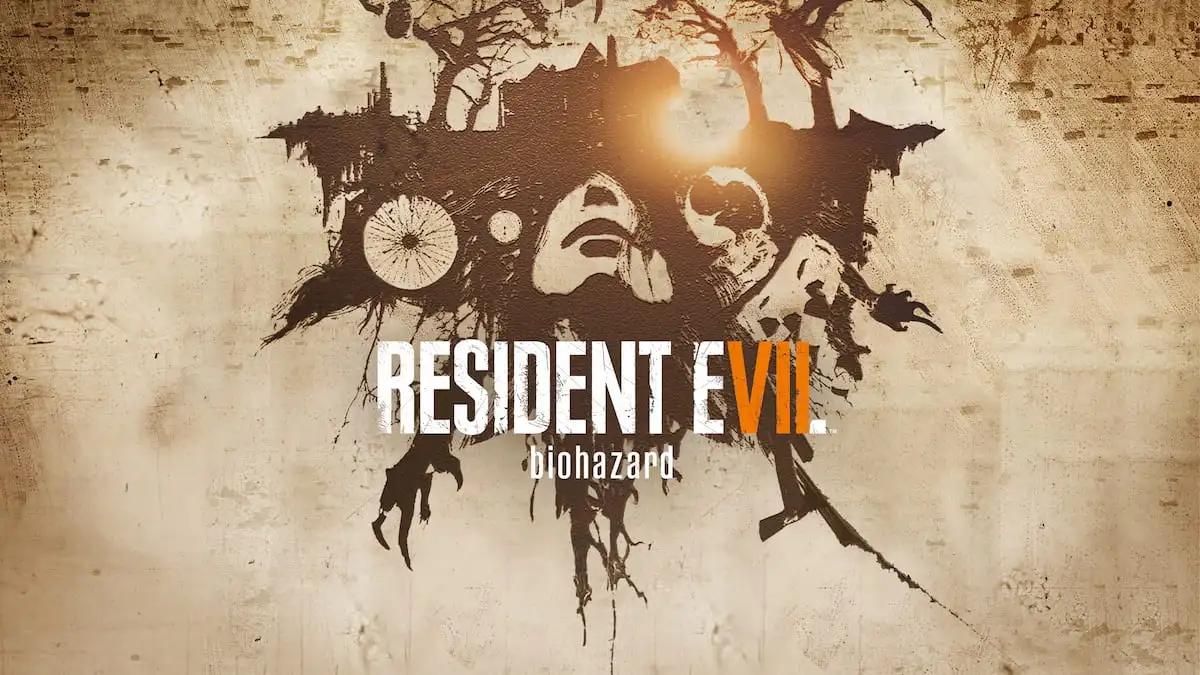
Best Graphics Settings for Resident Evil 7 Biohazard
Complete optimization guide — 6 presets, 90–260 FPS
📋 Quick Summary
Presets
6
FPS Range
90–260
Best Quality
Ultra
Best FPS
Streaming
📑 Table of Contents
💎 Resident Evil 7 Biohazard Ultra Settings
📐 1920x1080
🎯 90–130 FPS
Graphics Quality
Graphics Preset
Very High
Texture Quality
Very High
Texture Filtering
Very High (16x)
Mesh Quality
Very High
Anti Aliasing
FXAA+TAA
Shadow Quality
Very High
Dynamic Shadows
On
Shadow Cache
On
Ambient Occlusion
HBAO+
Volumetric Lighting Quality
High
Reflections
On
Effects Rendering
High
Subsurface Scattering
On
Bloom Effect
On
Lens Flare
On
Motion Blur
On
Depth of Field
On
Chromatic Aberration
On
Display Settings
Display Mode
Fullscreen
Resolution
1920x1080
Field of View (FOV)
80
Frame Rate
Variable
V Sync
On
HDR
On
Color Space
sRGB
Advanced Settings
Rendering Method
Normal
Resolution Scaling
1.0x
Ray Tracing (DX12)
High
DirectX Version
DX12
🖥️ Recommended Hardware for Ultra
GPU
RTX 4070 Ti or better
CPU
Intel i7-13700K / Ryzen 7 7700X
RAM
32 GB DDR5
🎨 Resident Evil 7 Biohazard High Settings
📐 1920x1080
🎯 120–165 FPS
Graphics Quality
Graphics Preset
High
Texture Quality
High
Texture Filtering
High (8x)
Mesh Quality
High
Anti Aliasing
TAA
Shadow Quality
High
Dynamic Shadows
On
Shadow Cache
On
Ambient Occlusion
SSAO
Volumetric Lighting Quality
Low
Reflections
Variable
Effects Rendering
High
Subsurface Scattering
On
Bloom Effect
On
Lens Flare
Off
Motion Blur
Off
Depth of Field
Off
Chromatic Aberration
Off
Display Settings
Display Mode
Fullscreen
Resolution
1920x1080
Field of View (FOV)
85
Frame Rate
Variable
V Sync
Off
HDR
On
Color Space
sRGB
Advanced Settings
Rendering Method
Normal
Resolution Scaling
1.0x
Ray Tracing (DX12)
Off
DirectX Version
DX12 / DX11
🖥️ Recommended Hardware for High
GPU
RTX 3070 / RX 6800 XT
CPU
Intel i5-12600K / Ryzen 5 5600X
RAM
16 GB DDR4
⚖️ Resident Evil 7 Biohazard Medium Settings
📐 1920x1080
🎯 150–200 FPS
Graphics Quality
Graphics Preset
Medium
Texture Quality
Medium
Texture Filtering
Medium (4x)
Mesh Quality
Medium
Anti Aliasing
SMAA
Shadow Quality
Medium
Dynamic Shadows
On
Shadow Cache
On
Ambient Occlusion
SSAO (Variable)
Volumetric Lighting Quality
Low
Reflections
Variable
Effects Rendering
Medium
Subsurface Scattering
Off
Bloom Effect
Off
Lens Flare
Off
Motion Blur
Off
Depth of Field
Off
Chromatic Aberration
Off
Display Settings
Display Mode
Fullscreen
Resolution
1920x1080
Field of View (FOV)
85
Frame Rate
Variable
V Sync
Off
HDR
Off
Color Space
sRGB
Advanced Settings
Rendering Method
Normal
Resolution Scaling
1.0x
Ray Tracing (DX12)
Off
DirectX Version
DX11
🖥️ Recommended Hardware for Medium
GPU
RTX 3060 / RX 6600 XT
CPU
Intel i5-11400 / Ryzen 5 3600
RAM
16 GB DDR4
🏎️ Resident Evil 7 Biohazard Low Settings
📐 1920x1080
🎯 185–240 FPS
Graphics Quality
Graphics Preset
Low
Texture Quality
Low
Texture Filtering
Low (2x)
Mesh Quality
Low
Anti Aliasing
FXAA
Shadow Quality
Low
Dynamic Shadows
Off
Shadow Cache
Off
Ambient Occlusion
Off
Volumetric Lighting Quality
Off
Reflections
Off
Effects Rendering
Low
Subsurface Scattering
Off
Bloom Effect
Off
Lens Flare
Off
Motion Blur
Off
Depth of Field
Off
Chromatic Aberration
Off
Display Settings
Display Mode
Fullscreen
Resolution
1920x1080
Field of View (FOV)
90
Frame Rate
Variable
V Sync
Off
HDR
Off
Color Space
sRGB
Advanced Settings
Rendering Method
Interlaced
Resolution Scaling
0.9x
Ray Tracing (DX12)
Off
DirectX Version
DX11
🖥️ Recommended Hardware for Low
GPU
GTX 1650 / RX 580
CPU
Intel i3-10100 / Ryzen 3 3300X
RAM
8 GB DDR4
🎮 Resident Evil 7 Biohazard Competitive Settings
📐 1920x1080
🎯 200–260 FPS
Graphics Quality
Graphics Preset
Custom Low
Texture Quality
Medium
Texture Filtering
Medium (4x)
Mesh Quality
Medium
Anti Aliasing
Off
Shadow Quality
Very Low
Dynamic Shadows
Off
Shadow Cache
Off
Ambient Occlusion
Off
Volumetric Lighting Quality
Off
Reflections
Off
Effects Rendering
Low
Subsurface Scattering
Off
Bloom Effect
Off
Lens Flare
Off
Motion Blur
Off
Depth of Field
Off
Chromatic Aberration
Off
Display Settings
Display Mode
Fullscreen
Resolution
1920x1080
Field of View (FOV)
90
Frame Rate
Variable
V Sync
Off
HDR
Off
Color Space
sRGB
Advanced Settings
Rendering Method
Interlaced
Resolution Scaling
0.8x
Ray Tracing (DX12)
Off
DirectX Version
DX11
🖥️ Recommended Hardware for Competitive
GPU
RTX 3060 Ti or better
CPU
Intel i5-12400F / Ryzen 5 5600
RAM
16 GB DDR4
📹 Resident Evil 7 Biohazard Streaming Settings
📐 1920x1080
🎯 120–160 FPS
Graphics Quality
Graphics Preset
High
Texture Quality
High
Texture Filtering
High (8x)
Mesh Quality
High
Anti Aliasing
TAA
Shadow Quality
Medium
Dynamic Shadows
On
Shadow Cache
On
Ambient Occlusion
SSAO
Volumetric Lighting Quality
Low
Reflections
Variable
Effects Rendering
Medium
Subsurface Scattering
On
Bloom Effect
On
Lens Flare
Off
Motion Blur
Off
Depth of Field
Off
Chromatic Aberration
Off
Display Settings
Display Mode
Fullscreen
Resolution
1920x1080
Field of View (FOV)
85
Frame Rate
120 / Variable
V Sync
Off
HDR
Off
Color Space
sRGB
Advanced Settings
Rendering Method
Normal
Resolution Scaling
1.0x
Ray Tracing (DX12)
Off
DirectX Version
DX11
🖥️ Recommended Hardware for Streaming
GPU
RTX 3070 or better (NVENC)
CPU
Intel i7-12700K / Ryzen 7 5800X
RAM
32 GB DDR4
🖥️ Hardware Recommendations
| Preset | GPU | CPU | RAM | FPS |
|---|---|---|---|---|
| Ultra | RTX 4070 Ti or better | Intel i7-13700K / Ryzen 7 7700X | 32 GB DDR5 | 90–130 |
| High | RTX 3070 / RX 6800 XT | Intel i5-12600K / Ryzen 5 5600X | 16 GB DDR4 | 120–165 |
| Medium | RTX 3060 / RX 6600 XT | Intel i5-11400 / Ryzen 5 3600 | 16 GB DDR4 | 150–200 |
| Low | GTX 1650 / RX 580 | Intel i3-10100 / Ryzen 3 3300X | 8 GB DDR4 | 185–240 |
| Competitive | RTX 3060 Ti or better | Intel i5-12400F / Ryzen 5 5600 | 16 GB DDR4 | 200–260 |
| Streaming | RTX 3070 or better (NVENC) | Intel i7-12700K / Ryzen 7 5800X | 32 GB DDR4 | 120–160 |
⚡ FPS Optimization Tips for Resident Evil 7 Biohazard
🎮 In-Game Optimizations
- ▸ Disable V-Sync for lower input lag (use G-Sync/FreeSync instead)
- ▸ Turn off Motion Blur — no FPS benefit, hurts visibility
- ▸ Lower Shadow Quality from Ultra to Medium for 10-20% FPS boost
- ▸ Use FXAA instead of MSAA for anti-aliasing (much lighter on GPU)
- ▸ Reduce Draw Distance and LOD if frame drops occur
- ▸ Enable DLSS or FSR if supported for major FPS improvement
🖥️ System Optimizations
- ▸ Update GPU drivers (NVIDIA GeForce Experience / AMD Adrenalin)
- ▸ Set Windows Power Plan to "High Performance"
- ▸ Close Chrome, Discord, and other background apps while gaming
- ▸ Enable Game Mode in Windows Settings
- ▸ Install games on SSD for faster loading (NVMe preferred)
- ▸ Enable XMP/EXPO in BIOS for optimal RAM speed
❓ Frequently Asked Questions
For Resident Evil 7 Biohazard Ultra settings at 1920x1080, you can expect 90-130 FPS. This preset includes 3 individually optimized settings. Recommended hardware: RTX 4070 Ti or better GPU, Intel i7-13700K / Ryzen 7 7700X CPU, and 32 GB DDR5 RAM.
For Resident Evil 7 Biohazard High settings at 1920x1080, you can expect 120-165 FPS. This preset includes 3 individually optimized settings. Recommended hardware: RTX 3070 / RX 6800 XT GPU, Intel i5-12600K / Ryzen 5 5600X CPU, and 16 GB DDR4 RAM.
For Resident Evil 7 Biohazard Medium settings at 1920x1080, you can expect 150-200 FPS. This preset includes 3 individually optimized settings. Recommended hardware: RTX 3060 / RX 6600 XT GPU, Intel i5-11400 / Ryzen 5 3600 CPU, and 16 GB DDR4 RAM.
For Resident Evil 7 Biohazard Low settings at 1920x1080, you can expect 185-240 FPS. This preset includes 3 individually optimized settings. Recommended hardware: GTX 1650 / RX 580 GPU, Intel i3-10100 / Ryzen 3 3300X CPU, and 8 GB DDR4 RAM.
For Resident Evil 7 Biohazard Competitive settings at 1920x1080, you can expect 200-260 FPS. This preset includes 3 individually optimized settings. Recommended hardware: RTX 3060 Ti or better GPU, Intel i5-12400F / Ryzen 5 5600 CPU, and 16 GB DDR4 RAM.
For Resident Evil 7 Biohazard Streaming settings at 1920x1080, you can expect 120-160 FPS. This preset includes 3 individually optimized settings. Recommended hardware: RTX 3070 or better (NVENC) GPU, Intel i7-12700K / Ryzen 7 5800X CPU, and 32 GB DDR4 RAM.
To maximize FPS in Resident Evil 7 Biohazard: 1) Lower resolution to 1920x1080, 2) Disable anti-aliasing and motion blur, 3) Set shadows and reflections to Low, 4) Reduce draw distance, 5) Close background applications, 6) Update GPU drivers, 7) Use our optimized Low or Competitive preset for the best balance.
Use GameOptix's 'Can My PC Run This Game' feature. Login, add your PC specs, and we'll automatically recommend the best preset for Resident Evil 7 Biohazard based on your GPU and CPU performance scores.
For most systems, 1920x1080 (1080p) offers the best balance of performance and visual quality in Resident Evil 7 Biohazard. If you have a high-end GPU (RTX 3070+), 2560x1440 (1440p) is ideal. Only use 4K if you have an RTX 4080 or better.
Explore More Games




Get Personalized Resident Evil 7 Biohazard Settings
Login and add your PC specs — we'll automatically recommend the perfect preset for your hardware.